Introduction: Why HTML Shortcuts Matter
If you are learning HTML or working as a frontend developer, typing full HTML code again and again wastes time and energy. This is where HTML shortcuts (Emmet) become a game changer.
Emmet is a powerful toolkit built into editors like VS Code, Sublime Text, and WebStorm that lets you write complex HTML structures using short abbreviations.
Mastering Emmet can make you 2–5x faster, cleaner, and more professional as a developer.
What Is Emmet in HTML?
Emmet is a shorthand syntax that expands short expressions into full HTML code.
Example:
ul>li*5
➡️ Expands into:
<ul>
  <li></li>
  <li></li>
  <li></li>
  <li></li>
  <li></li>
</ul>
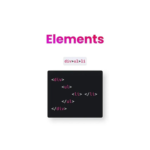
1. Element Creation Shortcut
You can create nested elements easily using >.
Example:
div>ul>li
Output:
<div>
  <ul>
    <li></li>
  </ul>
</div>
Use this to quickly build page structure.
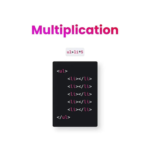
2. Multiplication (*) – Create Multiple Elements
The * symbol creates multiple elements at once.
Example:
ul>li*5
➡️ Creates 5 <li> items automatically.
Very useful for menus, lists, cards, grids.
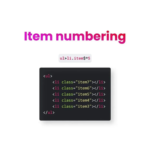
3. Item Numbering ($) – Auto Increment Values
The $ symbol automatically numbers items.
Example:
ul>li.item$*5
Output:
<li class="item1"></li>
<li class="item2"></li>
<li class="item3"></li>
<li class="item4"></li>
<li class="item5"></li>
Perfect for dynamic class naming and testing layouts.
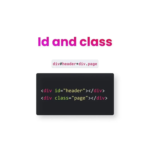
4. ID and Class Shortcuts
You can add id and class instantly.
ID:
div#header
➡️ <div id="header"></div>
Class:
div.page
➡️ <div class="page"></div>
Combined:
div#header+div.page
Clean, readable, and fast.
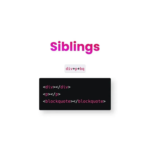
5. Siblings (+) – Same Level Elements
The + symbol creates elements at the same level.
Example:
div+p+blockquote
Output:
<div></div>
<p></p>
<blockquote></blockquote>
Great for layout sections.
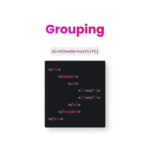
6. Grouping (()) – Control Structure
Parentheses help group elements.
Example:
div>(header>ul>li*2)
Output:
<div>
  <header>
    <ul>
      <li></li>
      <li></li>
    </ul>
  </header>
</div>
Essential for complex layouts.
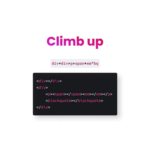
7. Climb Up (^) – Move One Level Up
The ^ symbol moves one level up in hierarchy.
Example:
div+div>p>span+em^bq
This allows fine-grained control over structure without rewriting code.
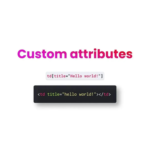
8. Custom Attributes
You can add attributes directly.
Example:
td[title="Hello world!"]
Output:
<td title="Hello world!"></td>
Useful for tooltips, ARIA labels, SEO-friendly markup.
Why Every Developer Should Learn Emmet
✔ Faster coding
✔ Cleaner HTML
✔ Less repetitive typing
✔ Better focus on logic and design
✔ Looks professional in real projects