Introduction: Why *args and **kwargs Matter in Python
When writing Python functions, you often don’t know how many inputs a function will receive. Hard-coding parameters limits flexibility and scalability.
This is where *args and **kwargs in Python become extremely powerful.
They allow you to:
- Accept unlimited arguments
- Write cleaner, reusable functions
- Build flexible APIs and utility methods
- Follow professional Python coding practices
This guide explains what *args and **kwargs are, when to use them, how to combine them, and real-world use cases, all in simple language.
What Is *args in Python?
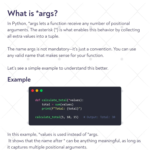
*args allows a function to accept any number of positional arguments.
Internally, Python stores them as a tuple.
Example:
def calculate_total(*values):
    total = sum(values)
    print(total)

calculate_total(5, 10, 15)
Output:
30
Key Points:
*argsis a convention (name can be anything)- Collects extra positional arguments
- Stored as a tuple
- Order matters
Use *args when the number of inputs is unknown.
When Should You Use *args?
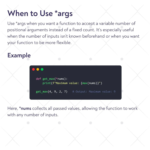
Use *args when:
- You don’t know how many values users will pass
- Creating utility functions (sum, max, average)
- Handling dynamic data inputs
Example:
def get_max(*nums):
    print(max(nums))

get_max(4, 9, 2, 7)
What Is **kwargs in Python?
**kwargs allows a function to accept any number of keyword (named) arguments.
Python stores them as a dictionary.
Example:
def display_info(**details):
    for key, value in details.items():
        print(f"{key}: {value}")

display_info(name="Alice", age=25, country="India")
Output:
name: Alice
age: 25
country: India
Key Points:
**kwargsis also a convention- Collects named arguments
- Stored as a dictionary
- Order doesn’t matter
Use **kwargs when arguments need labels or configuration options.
When Should You Use **kwargs?
Use **kwargs when:
- Function settings vary
- You want readable and descriptive inputs
- Passing configuration, metadata, or optional values
Using *args and `**kwargs Together
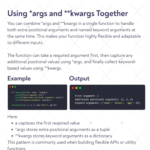
Python allows you to combine required arguments, *args, and **kwargs in one function.
Correct Order:
def show_details(a, *args, **kwargs):
    print("First argument:", a)
    print("Additional positional arguments:", args)
    print("Keyword arguments:", kwargs)

show_details(1, 2, 3, 4, name="Alice", age=25)
Output:
First argument: 1
Additional positional arguments: (2, 3, 4)
Keyword arguments: {'name': 'Alice', 'age': 25}
Why This Is Powerful
- Handles dynamic inputs
- Used in frameworks, APIs, decorators
- Makes functions future-proof
Real-World Use Cases of *args & **kwargs
✔ API development
✔ Framework design (Flask, Django, FastAPI)
✔ Logging utilities
✔ Data processing pipelines
✔ Wrapper and decorator functions
Senior Python developers use these daily.
Common Mistakes to Avoid
Using wrong order (**kwargs before *args)
Treating args as list (it’s a tuple)
Forgetting that kwargs must be named
Final Thoughts
If you want to:
- Write clean Python code
- Build scalable applications
- Understand advanced Python concepts
- Move toward senior-level Python development
Then mastering *args and **kwargs is non-negotiable.
They turn rigid functions into flexible, professional-grade tools.