

GitHub’s latest Copilot code-review update makes verification a more important student skill
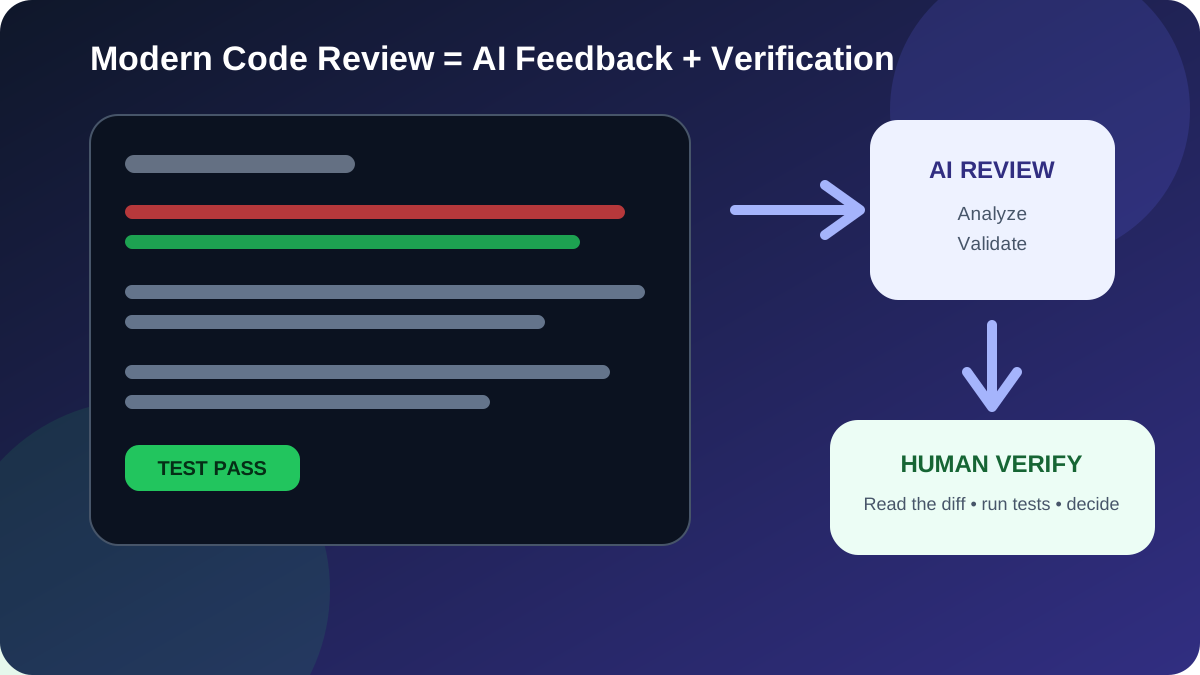
GitHub has updated Copilot code review so that it can automatically resolve review comments after a later commit addresses the underlying feedback, generate more descriptive commit messages when developers apply suggested fixes, and use a broader set of shell tools while analysing code. GitHub also says the Lite review effort now uses an ensemble of agents rather than a single reviewer.
In a September 11, 2026 changelog, GitHub said Copilot code review can resolve addressed comments during re-review, while unresolved feedback stays open. The review system can also use shell tools to validate code—for example by running builds, tests or targeted scripts—and Lite reviews now combine findings from multiple agents. These are product changes to GitHub Copilot code review, not a claim that AI review replaces human review.
Why this matters to learners
Many students learn programming as a sequence of individual exercises: write code, run it once, submit it. Professional software development is more iterative. A change is proposed, reviewed, tested, revised and reviewed again. The latest Copilot update is useful because it makes that loop more visible.
The career lesson is not “let AI review your code.” It is that a developer should know how to produce a reviewable change and how to verify feedback before accepting it. AI can make suggestions faster, but the learner still needs enough programming knowledge to decide whether a suggestion is correct, complete and appropriate for the project.
Five skills students should practise now
Keep changes focused enough that a reviewer can understand what changed and why. Large unrelated edits make both human and AI review harder.
Learn to inspect additions, deletions and surrounding context. A diff often reveals accidental changes that are easy to miss in the finished file.
If a reviewer identifies an edge case, reproduce it with a test when practical. That helps prevent the same bug from returning later.
Do not apply an autofix only because it is convenient. Run the relevant checks and understand what the change does before committing it.
A good commit explains the purpose of a change. AI-generated text can help, but students should edit it when it does not accurately describe the work.
Automatic resolution does not mean automatic correctness
GitHub says Copilot can now resolve one of its own review comments when a later commit addresses the feedback. That can reduce stale review threads, but students should understand what “resolved” means: the original concern appears to have been addressed in the new code. It does not prove the entire feature is correct or that no new bug was introduced.
A disciplined workflow still checks the updated diff, runs relevant tests and confirms the acceptance criteria for the feature or bug fix. Review status is useful workflow information; it is not a substitute for software validation.
Shell-tool validation is a useful engineering signal
GitHub’s changelog says Copilot code review can now use shell tools behind the Copilot agent firewall to perform validation such as running build commands, tests and targeted scripts. This reflects an important software-engineering principle: a review is stronger when it can gather evidence instead of only reading code.
Students can copy that principle without using Copilot at all. For every project, define a repeatable set of checks: install dependencies in a controlled environment, run the test suite, run a linter or type checker where appropriate, build the project and manually test the most important user flow.
What multi-agent review should—and should not—teach students
GitHub says its Lite review effort now uses an ensemble of agents that contribute different perspectives before findings are combined into one review. That is an interesting implementation detail, but learners should avoid the assumption that more agents automatically make a result true.
Independent perspectives can help expose different classes of problems, just as one human reviewer may focus on readability while another notices a security or data-handling issue. The output still needs prioritisation and verification. Students should learn to distinguish a high-impact correctness or security issue from a stylistic preference.
A practical student exercise
- Create a small feature branch in a Python, Java, JavaScript or full-stack project.
- Write a GitHub issue with a short problem statement and two or three acceptance criteria.
- Implement the feature in a focused commit and open a pull request.
- Review the diff yourself before requesting any automated or human review.
- For every review comment, decide whether it identifies a real problem, a possible improvement or a misunderstanding.
- When a real bug is found, add or update a test where practical before changing the implementation.
- After the fix, rerun tests and inspect the new diff rather than assuming the conversation being resolved means the work is complete.
Code review is also a cybersecurity habit
Reviewing changes carefully is especially important when code touches authentication, permissions, file uploads, database queries, secrets, dependencies or external commands. AI-generated suggestions can contain insecure assumptions just like human-written code can.
Students interested in security should practise asking concrete questions during review: Can untrusted input reach this command? Is authentication checked before authorization? Are secrets being logged? Can this database query be manipulated? Does this new dependency need the permissions it receives?
How this connects to employability
Employers do not only need people who can produce code. Teams need developers who can work with branches, pull requests, review comments, tests and shared standards. A portfolio repository that demonstrates this workflow provides stronger evidence than a folder containing only a finished project.
For one portfolio project, keep a few real issues and pull requests public. Use meaningful commits, document tests and explain one or two bugs you found during review. That shows problem-solving and collaboration skills without inventing project statistics or claiming professional experience you do not have.
Connect the workflow to structured learning
Learners can practise these habits alongside Full Stack Development, Python Programming, Java, Cyber Security and Artificial Intelligence. The durable skill is not dependence on one review tool; it is the ability to explain a change, evaluate feedback and verify software before it reaches users.
Explore the Forsk Coding School course catalogue or request course counselling for Jaipur classroom and live online learning options.
Primary source: GitHub Changelog, “Auto-resolution and analysis updates in Copilot code review,” published 11 September 2026. Read GitHub’s announcement. Supporting reference: GitHub Docs, “About GitHub Copilot code review.” This article is an original learner-focused interpretation by Forsk Coding School and is not sponsored by or affiliated with GitHub.